


Canva unveils a tool that transforms any image into an editable layered document.

With the rise of generative AI, visual content is multiplying on the web. However, these generated or exported images often remain fixed in formats that limit their modification.
In response to this, Canva is rolling out a new feature called Magic Layers which aims to transform these static visuals into fully editable documents. This new feature is part of the platform's strategy to simplify graphic creation, while bringing AI-generated images closer to traditional design tools…
AI capable of reconstructing a layered design
As seen in Canva's press release and in the presentation video, Magic Layers allows you to transform a flat image into a structured document composed of several editable layers. In practice, the user can import a PNG or JPG file into the Canva editor, and the tool analyzes the image's composition. The AI then identifies the different elements present in the image, such as text, objects, the background, and layout structures. Once the analysis is complete, these elements are separated and recreated as independent components. The text is converted into editable fields, while the objects become elements that can be moved, resized, or replaced. The backgrounds, meanwhile, are isolated to allow for modifications without altering the overall design.
Unlike traditional vectorization tools, which simply draw shapes, Magic Layers attempts to interpret the design structure and the relationships between elements.
Modify a visual without starting from scratch…
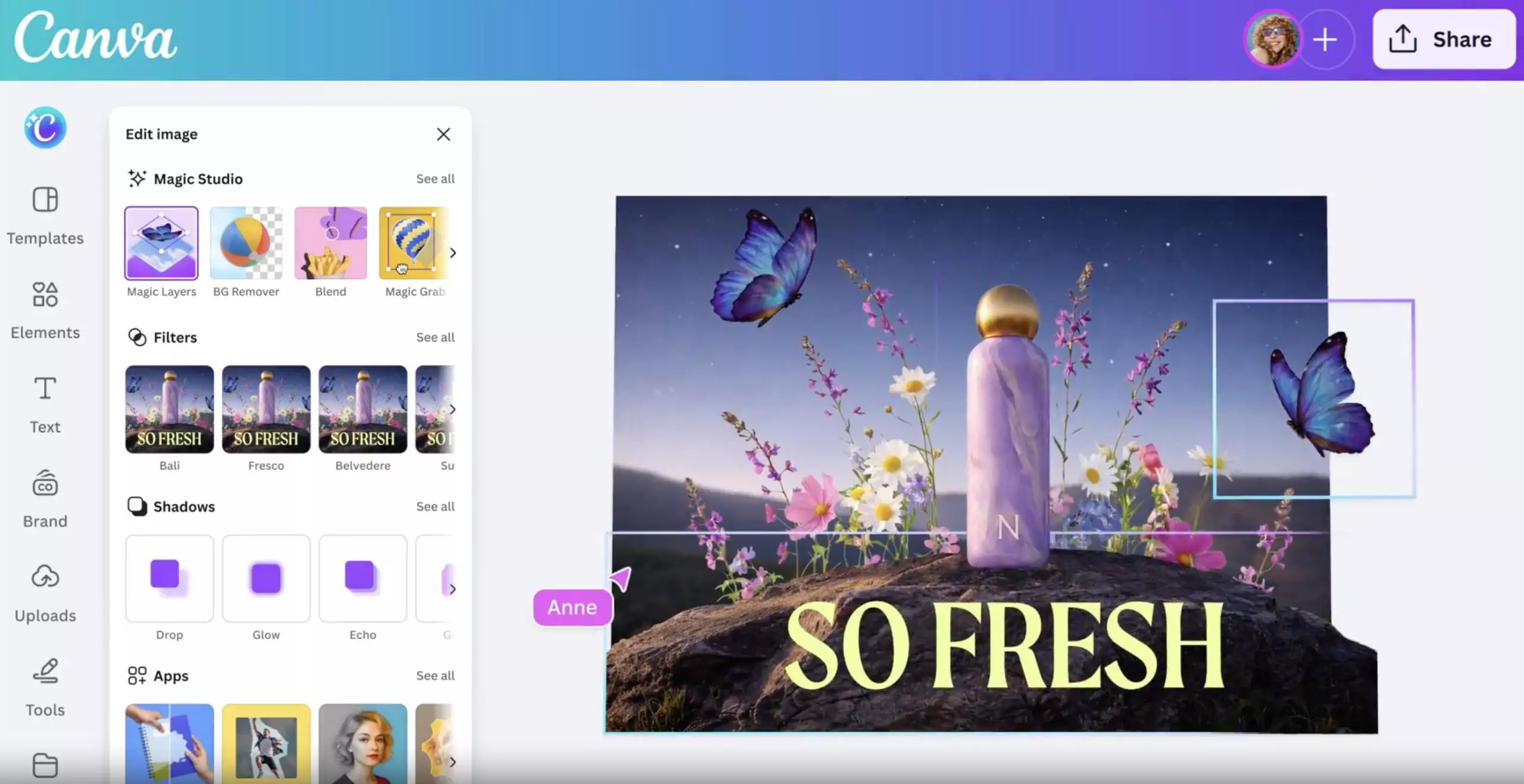
Magic Layers is activated with a single click – Source: Canva
Canva's goal is to solve A common constraint with AI-generated content is that once the image is produced, even the slightest modification often requires generating a new visual, which can unintentionally alter other details.
With Magic Layers, the image becomes an editable workspace, and users can adjust colors, change fonts, move objects, or even restructure the layout directly within the editor.
Furthermore, the functionality isn't limited to creations made in Canva; visuals from other tools or generated by AI models can also be imported and transformed.
Once converted, the design can be reused in various formats such as presentations, documents, videos, or social media content.
A tool based on Canva Design Model
To function, Magic Layers relies on the Canva Design Model, the artificial intelligence model developed by the company to generate and manipulate designs.
This model is already used in several Canva AI features and in certain integrations with platforms like ChatGPT, Claude, and Microsoft Copilot.
Finally, note that Magic Layers is currently deployed in public beta in the United States, the United Kingdom, Canada, and Australia, with international availability expected in the coming months…
Please Login to leave a comment.
Want to Post Your Topic
Join a global community of creators, monetize your content easily. Start your passive income journey with Digbly today!
Post It Now
Comments