


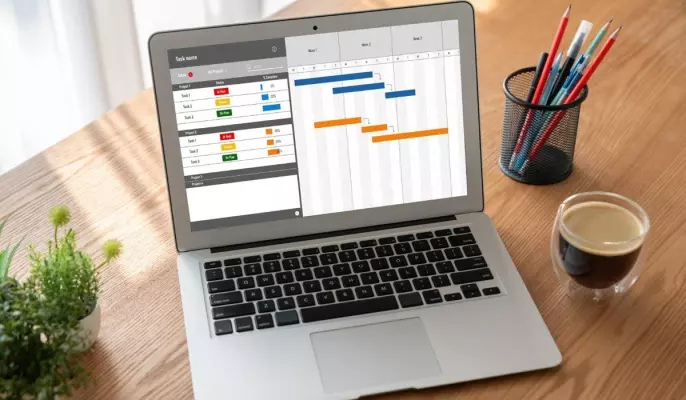
From data to decisions: building a truly actionable CRM dashboard

You have a CRM, you have data, your sales team enters (more or less) their information. But when it comes time to make a strategic decision, you instinctively go back to your Excel file or your weekly meetings…
Many sales departments in France still experience this scenario. Yet, the promise of a CRM dashboard like HubSpot is precisely this:to transform a mass of raw data into rapid, fact-based decisions. The question remains: how do you build a tool that delivers on this promise daily, and not just during the vendor's demo?
In this article, we will explore the practical steps to move from a decorative dashboard to a true operational command center.
And if you want to get started right now, you can create a free HubSpot account to experience these features in a real-world setting! A CRM dashboard: what are we really talking about? In concrete terms, a CRM dashboard is a solution that integrates reporting and dashboard creation tools, and HubSpot is a prime example. Perfect.With a visual interface that centralizes key indicators from the software, this is not a report that is produced once a month, nor an Excel export that is formatted on Friday afternoon. It should be seen more as a living tool, updated in real time, that offers a comprehensive view of business activity, marketing, and customer service. Therefore, the distinction with traditional reporting is clear, as reporting is a snapshot at a given moment, often static, and sometimes skimmed. A dashboard, on the other hand, is interactive, as it allows you to filter data by period and by salesperson. 400;">, by segment or by product. It incorporates forward-looking indicators such as pipeline forecasts, or probability of signing, and not just retrospective figures. It is this dynamic dimension that makes it a management tool, and not just a simple reporting document.
In concrete terms, a good CRM dashboard allows you to visualize individual and collective sales performance, identify trends and opportunities, track the ROI of marketing campaigns, analyze customer behavior, and measure the quality of after-sales service without changing screens or holding additional meetings…
HubSpot: a platform designed to make every indicator actionable
Faced with all these differences that many professionals observe daily, this is precisely where HubSpot stands out. The platform doesn't just offer charts, but builds an environment in which every piece of data is connected to a possible action. For example, HubSpot's Sales Hub allows you to monitor the sales pipeline, closing rate, performance per representative, and real-time forecasts. According to HubSpot's internal data, 82% of Sales Hub users say the platform improves data centralization and provides a single source of truth for reporting. HubSpot structures its dashboards around business functionalities: This multi-hub approach is a strength in the case of HubSpot. The figures show that companies using multiple HubSpot hubs simultaneously benefit from a deal closing rate five times higher than those using only one. While this may seem surprising at first, the reason is simple: when sales, marketing, and customer service data converge in a single tool, decisions are better informed and faster. Choosing your KPIs: the step everyone underestimates. A dashboard overwhelmed by fifteen metrics, or even more in some cases, is useless. The real difficulty lies not in the technology but in the selection. Which metrics should you display? For whom? How often? The rule is simple:each KPI must answer a specific business question and call for concrete action.. If you look at an indicator without knowing what to do with it, it shouldn't be there. It's generally recommended to limit each view to five to seven key indicators, grouped logically. For sales teams, the essential indicators are: For marketing, we will focus on two key indicators to monitor as a priority: For customer service, KPIs are generally identified such as: Customizing views is just as crucial as choosing the indicators. Indeed, a sales director doesn't need the same data as a field salesperson. The former seeks a comprehensive view of projected revenue and team performance. The second user wants to see their personal pipeline, upcoming appointments, and progress toward their monthly goals. HubSpot natively allows this modularity, with dashboards customizable by user profile. Moving from theory to an operational dashboard requires a structured approach. Here's how to do it with HubSpot: Before opening the tool, list the two or three specific problems you want to solve. Reduce the sales cycle? Decrease the churn rate? Improve the ROI of a campaign? Ultimately, this objective will be your compass for everything that follows. To ensure the success of your project, it is in your best interest to organize a quick discussion with future users, such as a sales director, a marketing manager, or the customer service manager. You simply need to ask one question:what is the most important decision you make each week, and what data do you lack to make it with confidence? Verify that the necessary data is correctly entered and reliable in your CRM. The quality of a dashboard depends directly on the quality of the data that feeds it. HubSpot makes it easy toidentify incomplete properties and toautomate certain data retrievals via workflows. In HubSpot, you cancreate a dashboard for each user profile. Choose the appropriate chart types: a line graph to track progress Pipeline tracking over time, a histogram to compare performance by salesperson, a gauge to visualize progress towards a goal. Finally, remember to limit each view to what is truly useful. Train the teams and keep the tool active. A dashboard that isn't consulted is a useless dashboard. To avoid this, integrate it into your team rituals, such as a weekly sales meeting or a monthly marketing check-in. HubSpot, for its part, facilitates this adoptionthanks to intuitive interfaces and configurable alertsthat automatically flag anomalies. One of the common limitations of isolated CRM dashboards is data silos. Marketing doesn't see what salespeople are doing, and customer service doesn't know which campaigns generated dissatisfied customers. Here again, HubSpot solves this problem structurally… By centralizing sales, marketing, and customer service data in a single platform, HubSpot makes it possible to track the complete journey of a contact, from the first visit to the website to contract renewal. This unified view changes the nature of decisions. As a result, 83% of HubSpot customers say that the platform effectively unifies all their company's data in one place. We also note that 79% believe this unification directly improves the quality of leads passed on to sales teams. AI at the service of CRM: Artificial intelligence integrated into HubSpot further enhances this analytical capability. With HubSpot Breeze, the platform goes beyond the static dashboard: it anticipates churn risks, identifies high-potential leads through predictive scoring, and offers contextualized action recommendations. Users of these AI features report a 65% reduction in the time needed to close a sale. HubSpot Breeze also saves teams an average of 2.4 hours per week by automating repetitive tasks. A daily co-pilot With this solution, you're no longer looking at a dashboard, but rathera copilot that tells you where to act, when to actand how to prioritize your resources. For 95% of HubSpot customers, the return on investment is positive, with 76% seeing concrete results in four weeks or less. The CRM dashboard then ceases to be a measurement tool and becomes a true growth driver…HubSpot: Building Your Dashboard in Five Steps
Define Priority Business Objectives
Identify users and their needs
Select the data available in HubSpot
Configure Views and Visualizations
HubSpot and the 360-degree view: when data talks to each other
Data Centralization
Please Login to leave a comment.
Want to Post Your Topic
Join a global community of creators, monetize your content easily. Start your passive income journey with Digbly today!
Post It Now
Comments