


Google Workspace: How does Google's collaborative suite work?

With the rise of teleworking and hybrid organizations, online collaborative tools have become the standard. Faced with this situation, Google has gradually evolved its offering to provide a unified work environment.
Called Google Workspace, this suite of applications aims to centralize communication, content production, and project management within a single space…
What is Google Workspace?
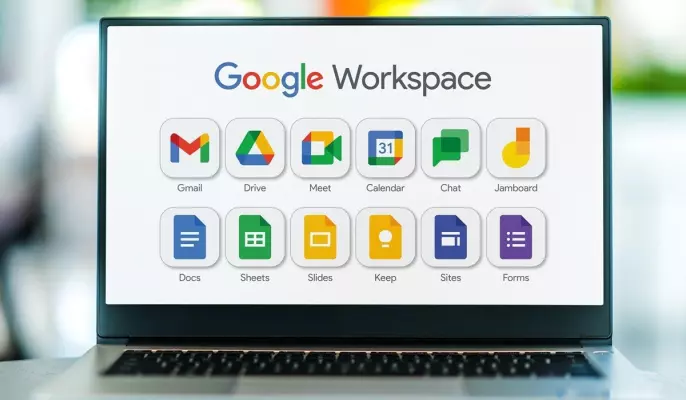
Google Workspace, formerly G Suite, brings together a series of Google tools accessible from a browser or mobile app to allow teams to work together, in real time, and without relying on local installations.
The platform is structured around several key components.
known :- Gmail manages professional emails
- Google Drive serves as cloud storage
- Google Docs offers word processing similar to Microsoft Word
- Google Sheets competes with Microsoft Excel for creating data tables
- Google Slides provides the ability to create presentations, like Microsoft PowerPoint
Beyond these tools, others complete this ecosystem. Among them are Google Meet, which allows you to organize video conferences; Google Chat, which facilitates quick exchanges between colleagues; and Google Calendar, which structures calendar management.
Finally, tools like Google Forms, Google Keep, and even Google Sites allow you to go even further, from creating surveys and taking notes to creating internal web pages.
How does Google Workspace work on a daily basis?
One of the main advantages of Google Workspace lies in its entirely online operation. In concrete terms, users can create, edit, and share documents directly from their browser, without any specific installation.
Thus, real-time collaboration emerges as a central pillar, where several people can work simultaneously on the same file, with changes visible instantly.
Access to the tools is also flexible, as it is possible to use Google Workspace from a computer, tablet, or smartphone, and some features even remain accessible offline, with automatic synchronization upon reconnection.
Finally, Google is progressively integrating AI-based features, notably through Gemini to generate meeting summaries, suggest follow-up actions, or even automate certain tasks in emails.
Pricing based on business needs
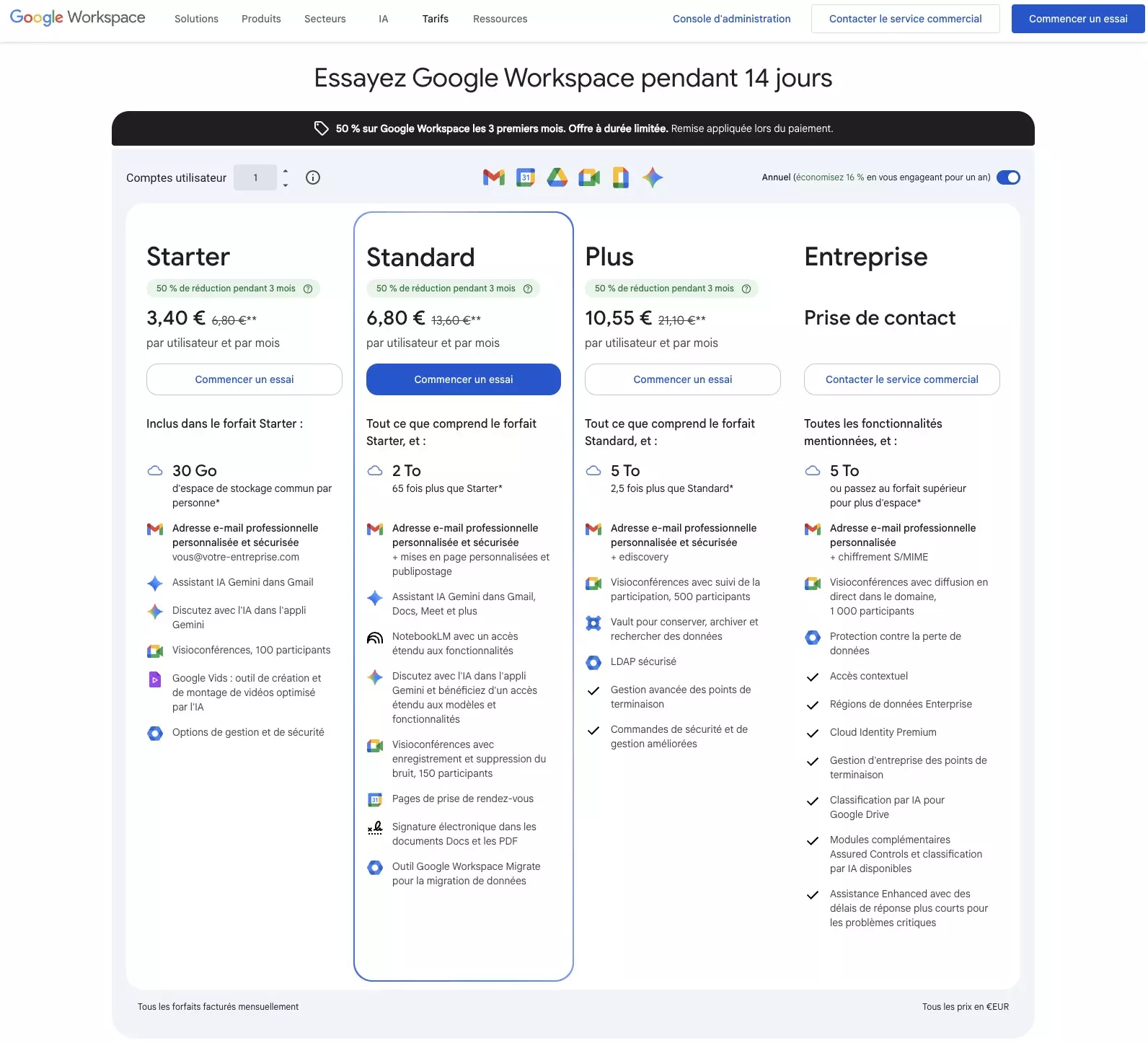
A price overview – Source: Google
Google Workspace offers several plans to meet the needs of different user profiles, from freelancers to large companies:
- The Starter plan starts at €6.80 per user per month, with 30 GB of storage and meetings limited to 100 participants
- The Business plan, at €13.60, increases storage to 2 TB and allows recording of video conferences
- The plan The Plus plan, offered at €21.10 per month, provides up to 5 TB of storage per user, meetings for up to 500 participants, and security features. The Enterprise plan includes even more advanced and customized services, but is only available upon request. In addition, a free version, limited to 25 users, is also available, but without Gmail integration.
Please Login to leave a comment.
Want to Post Your Topic
Join a global community of creators, monetize your content easily. Start your passive income journey with Digbly today!
Post It Now
Comments