



How do I permanently delete a Facebook account?

Whether it's to limit time spent on social media, better protect personal data, or simply take a digital break, many users decide to leave Facebook each year.
Even though the platform still has several billion users, the process for deleting your account remains relatively simple…
Step 1: Open Facebook settings
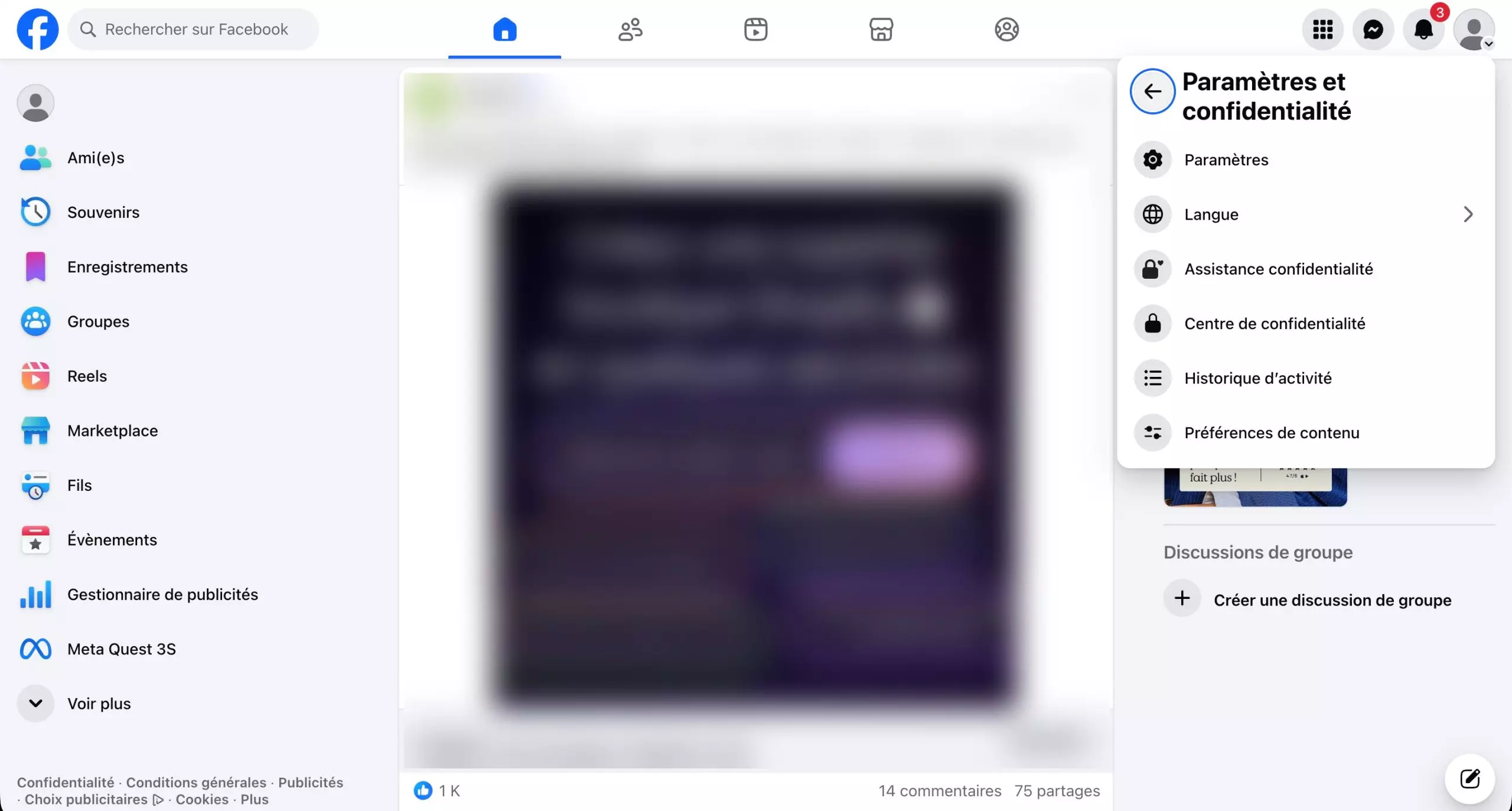
Click on "Settings" in the top right corner – Source: Meta
Start by logging in to your Facebook account:
- Smartphone: Open the app and tap the menu icon (three lines).
- Computer: Click on your profile picture in the top right corner.
In both cases, go to the "Settings & Privacy" menu, then click on "Settings" to open all the options related to your account.
Step 2: Access the Meta Accounts Space
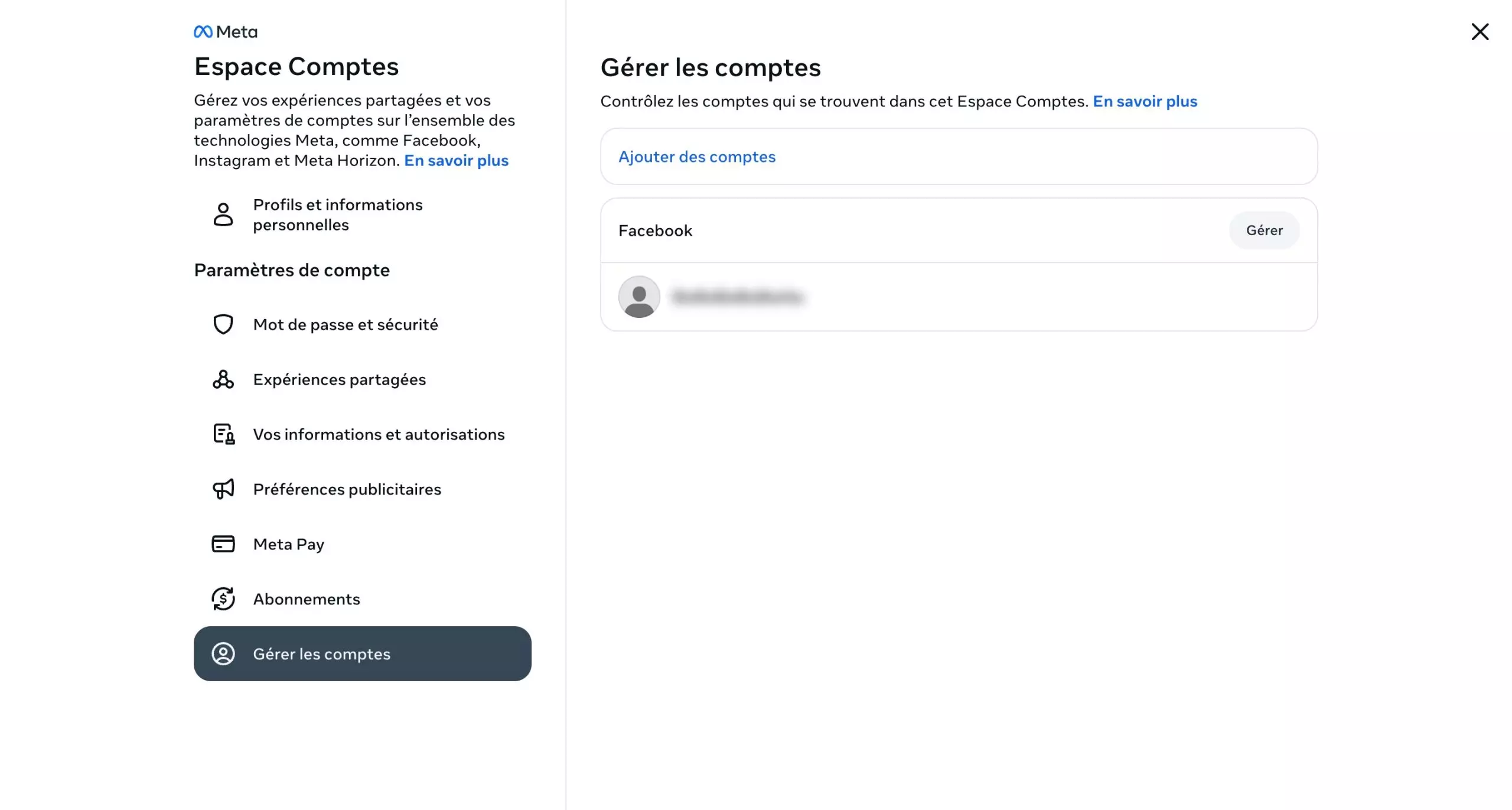
Go to the Accounts section – Source: Meta
Once in the settings, look for the "Meta Accounts" section.
Then click on "Manage Accounts" to access the options related to managing your profile.
Step 3: Choose the "Deactivation or deletion" option

You can also choose to temporarily deactivate your account – Source: Meta
When you click on "Manage," then on "Deactivation or deletion," Facebook offers you two options:
- "Deactivate account" to temporarily pause your profile
- "Delete account" to permanently erase your profile
To leave the platform, choose "Delete account," then click "Continue" to start the process.
Step 4: Confirm account deletion
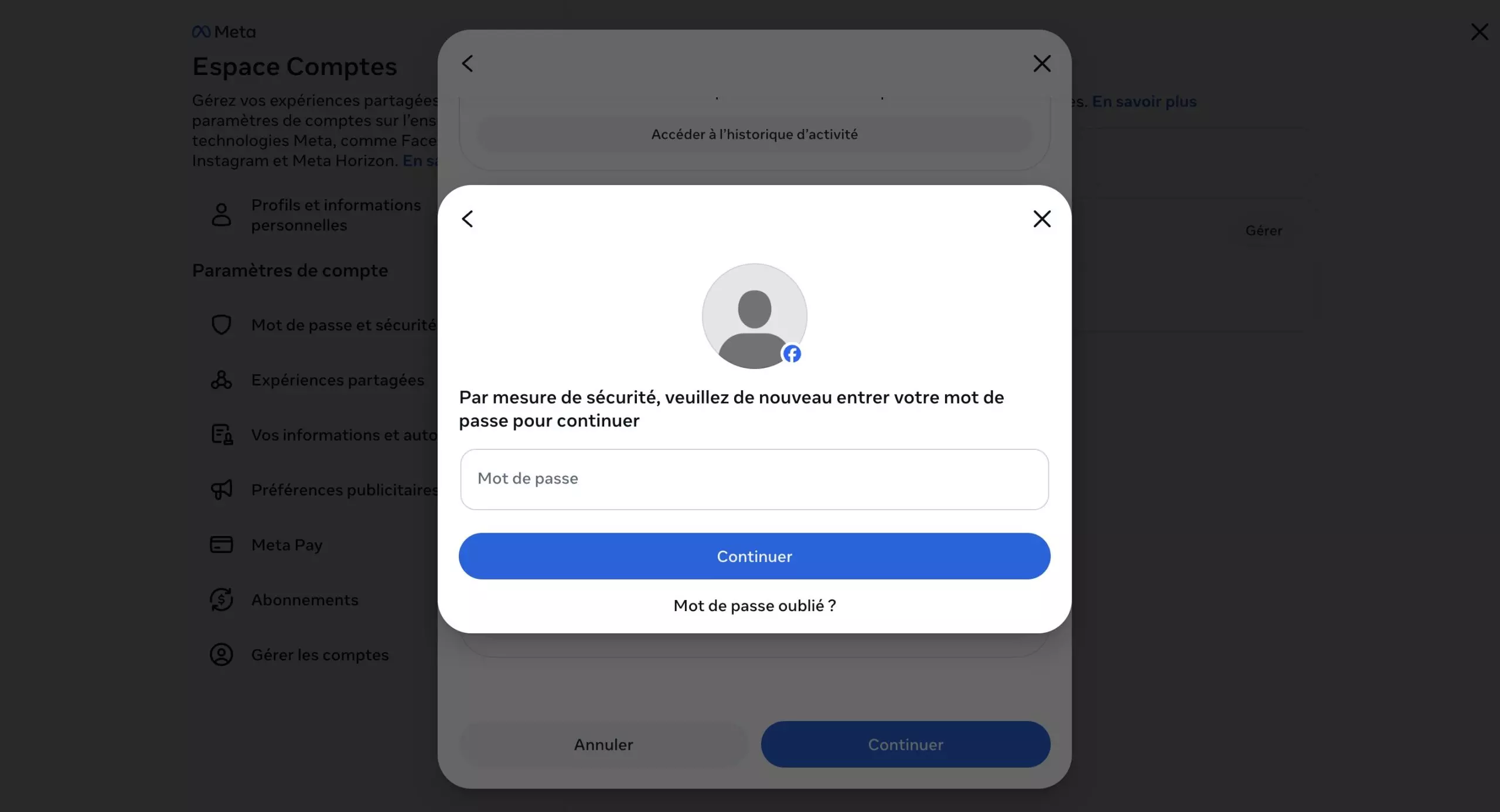
Enter your password to confirm the deletion of your account – Source: Meta
Facebook then asks for confirmation to prevent accidental deletion.
After indicating the reason for deleting your account, you will need to enter your password, then confirm your choice. Once the procedure is validated, the account deletion is scheduled.
Step 5: Wait for the deletion period
Deleting a Facebook account is not immediate, as the platform applies a 30-day delay before the profile is permanently erased.
During this period, it is still possible to cancel the deletion simply by logging back into your account. After this period, the profile, photos, posts, and videos will be permanently deleted.
Note that some data may remain temporarily in the platform's technical backups for several weeks.
Download your data before deleting your account
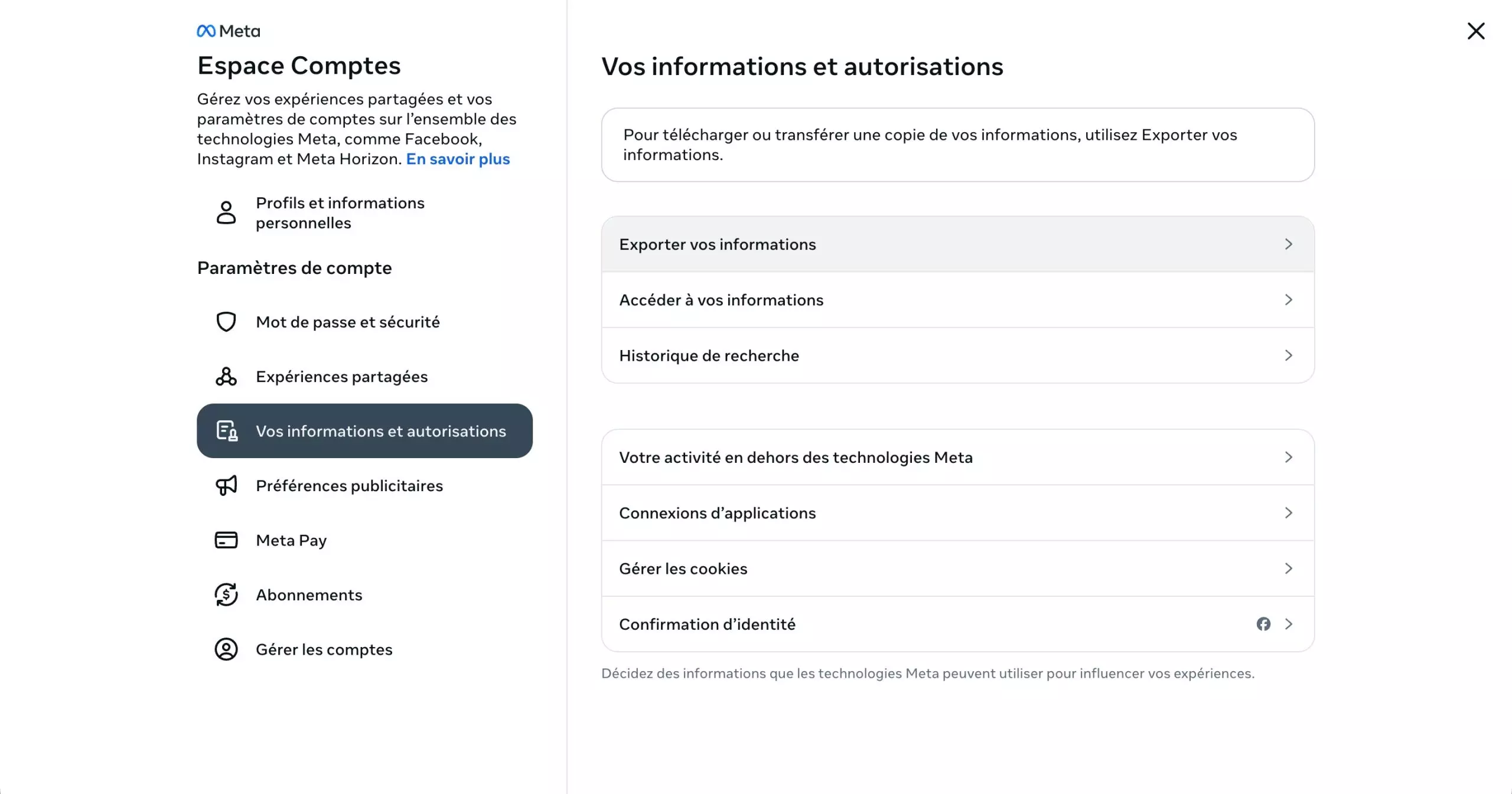
Remember to back up your data! – Source: Meta
Before deleting your account, it can be useful to retrieve your Facebook data. The platform allows you to download a copy of your information, including:
- Your photos
- Your videos
- Your posts
- Some profile information
Please Login to leave a comment.
Want to Post Your Topic
Join a global community of creators, monetize your content easily. Start your passive income journey with Digbly today!
Post It Now
Comments