20 Smart iOS 27 Features That Will Make Your Life Easier — And How to Use Them
- Tags
- Apple
- iOS 27
- Apple Intelligence
- iPhone
- Tech News
- Siri
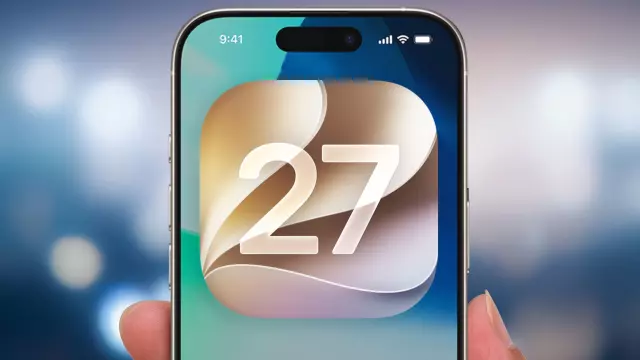
Apple's iOS 27 brings a massive overhaul to the iPhone experience, highlighted by a deeply integrated and smarter version of Siri, enhanced photography and editing tools like Reframe, and a wide array of productivity upgrades. Whether you are using a newer model supporting all AI capabilities or exploring the everyday enhancements, this software release introduces numerous features designed to make life simpler and more efficient.
Get the New Siri and Enable Siri AI
If you have upgraded to iOS 27 and are wondering why Siri looks unchanged, you need to enable Siri AI. Simply launch the Settings app, select Siri, tap Try Siri AI (Beta), and confirm by tapping Continue. Once active, the interface shifts to a sleek bubble-style pop-out at the top of the display, with a dedicated Siri app appearing on your home screen. Note that full Siri AI capabilities require an iPhone 15 Pro or later.
Adjust the Look of Liquid Glass
Apple's Liquid Glass interface remains a staple, but iOS 27 lets you tweak its appearance to your exact preferences. Navigate to Settings, tap Appearance, and select Liquid Glass. From there, use the slider to adjust transparency on the left or increase contrast between on-screen controls and content on the right.
Get Info From Siri Directly From the Camera
In iOS 27, the Camera app features a dedicated Siri mode alongside Photo and Video. By pointing your camera at an object and touching a button, Siri provides detailed visual intelligence—such as identifying hardware parts, plant species, or animal breeds on the spot.
Have Siri Organize Your Safari Tabs
Managing browser clutter is now easier with Safari AI. Inside the Safari app, tap the overlapping windows icon, select the three-line filter button at the top, and choose Organize Tabs followed by Automatically Create Topics. Safari will cleanly group related web pages together for quick navigation.
Get Better Search Results in Mail
Finding old messages is significantly faster thanks to iOS 27 Mail's new ranking system. Relevant results now automatically surface at the top of your inbox, and smart filters let you quickly drill down into specific dates, contacts, or keywords.
Set Different Alarm and Alert Volumes
Previously, iPhones tied alarm volumes to standard ringtones. In iOS 27, you can head to Sounds & Haptics in Settings to independently adjust volumes for Alarms, Alerts, and System Sounds, ensuring loud morning wake-ups without jarring daytime notifications.
Pin Camera Controls to the Top of the Screen
For frequent photographers, iOS 27 lets you customize the shortcut tools pinned directly above the shutter menu. Open the Camera app, tap the six-dot Camera Control button, click Edit, and add or remove up to six tools—such as aspect ratio toggles—for instant access.
Shift the Perspective of Your Photos with Reframe
Leveraging on-device AI, the Photos app now includes Reframe. Found under editing tools alongside Clean Up, Reframe allows you to drag your finger across the screen to dynamically shift the angle and perspective of an image, letting the software intelligently fill in the gaps for a more striking shot.
Explore Changes to Shared Albums
iCloud Shared Albums are more flexible than ever, allowing individuals without an Apple account—including Android and Windows users—to contribute. You can also create temporary shared albums that automatically expire after 30 days.
Have Siri Help You Out While Cooking
Thanks to advanced on-screen context awareness, Siri can read and answer questions about recipes open in Safari. Instead of scrolling with messy fingers, simply ask "Hey Siri, how much red onion do I need?" and get immediate answers.
Put Your Apple TV Remote on Your Home Screen
Move the Apple TV control out of the Control Center by searching for "Remote" in your home screen search, then holding and dragging the icon directly to your app grid for instant access.
Use Siri to Create a Shortcut
Automations are no longer intimidating. Open the Shortcuts app, tap the plus icon, and simply dictate or type the shortcut you want to create. Siri handles the background logic and builds the automation for you.
Check Out Siri's Understanding of Personal Context
Siri can now search through specific applications based on personal context. For example, asking Siri to "show me the note that includes Oakland restaurants" will instantly scan your Notes app and pull up the correct entry.
Have Siri Create Calendar Entries
Create events naturally by speaking to Siri. Saying phrases like "Create an event where we record a podcast for two hours on October 17 at 7 p.m." automatically populates your Calendar app without manual entry.
Explore iOS 27's New Child Safety Features
Parental controls have received an extensive overhaul, featuring a simplified setup assistant. App Limits are now called Time Allowances, and new features like "Ask to Browse" let children request web access permissions directly through Messages.
Better Transitions Between Wi-Fi and Cellular
Under-the-hood connectivity improvements ensure that moving away from your home network's router range results in a smooth, seamless handover to your cellular provider without interrupted data streams.
Customize How Long You Share Location in Find My
Find My now offers a Custom option when sharing your location, allowing you to specify exact days, hours, and minutes. You can also temporarily hide your location from anyone without disabling the overall sharing status.
Use Multiple iPhone Cameras During a FaceTime Call
On compatible devices, you can tap your video tile during a FaceTime call and hit the Flip button to activate Dual Capture. This broadcasts both the front-facing camera and the rear-facing camera simultaneously, showing participants your face alongside what you are looking at.
Use Siri in the Magnifier App
Ideal for accessibility or reading fine print in dim lighting, the Magnifier app now integrates Siri. You can point the camera at a restaurant bill or small label and ask Siri for specific text details directly.
Find Out What's Trending in Maps
Apple Maps now features Local Lists and a Trending Restaurants carousel, pulling from regional map usage data to highlight popular local spots, kid-friendly attractions, and neighborhood guides.
Comments (0)
Sign in to join the conversation.Sign in
Loading comments...