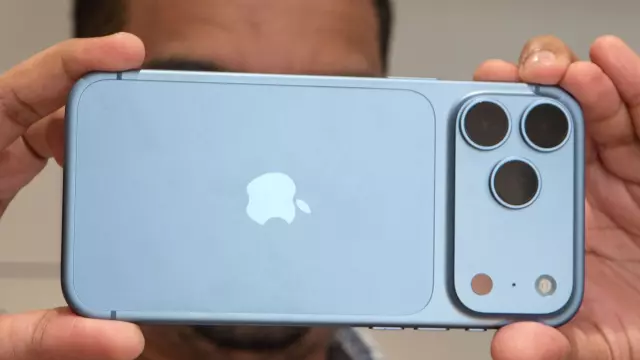
Apple and AT&T Address Serious iPhone 18 Pro Max Connectivity Glitch
- Tags
- iPhone 18 Pro Max
- Apple
- AT&T
- mobile technology
- Smartphone Troubleshooting
A significant technical issue has surfaced for users of the new iPhone 18 Pro Max, specifically affecting those tethered to the AT&T network. Numerous reports have emerged from customers who received their brand-new devices only to find them stuck in 'SOS' mode, rendering them unable to place calls, send texts, or access mobile data out of the box. In instances where a connection was established, users reported sluggish performance that made the flagship device nearly unusable for cellular tasks.
Official Response and Troubleshooting
Both Apple and AT&T have officially acknowledged the connectivity disruptions. An AT&T spokesperson stated, 'Our top priority is ensuring customers can stay connected when they need it most, and we are working with Apple to make it right.'
Initially, both companies suggested that a simple software update could resolve the problem. Specifically, users were urged to update their firmware to iOS 27.0.1. While this patch was intended to mitigate the issue, Apple has since clarified that for devices already suffering from a total lack of network access, a software-based resolution is not possible.
Required Hardware Replacement
If your iPhone 18 Pro Max is currently trapped in a no-service state, software updates will not force a connection. Apple has confirmed that these specific units require a hardware replacement. Affected users are being advised to visit their nearest Apple Store or authorized AT&T retail location to exchange their device for a functional unit.
The Scope of the Issue
According to current reports, this problem appears isolated to the iPhone 18 Pro Max running on the AT&T network. While the Pro and the new iPhone Duo models utilize Apple's custom-designed C2 modem, the Pro Max employs a Qualcomm cellular modem for the US market. Experts are currently investigating whether the issue stems from this specific hardware integration, as other carriers have not reported similar widespread failures. Customers are encouraged to check for carrier setting updates in addition to the iOS 27.0.1 installation to ensure their device is optimized, though a trip to a retail store may ultimately be the only solution for those already suffering from the glitch.
Comments (0)
Sign in to join the conversation.Sign in
Loading comments...