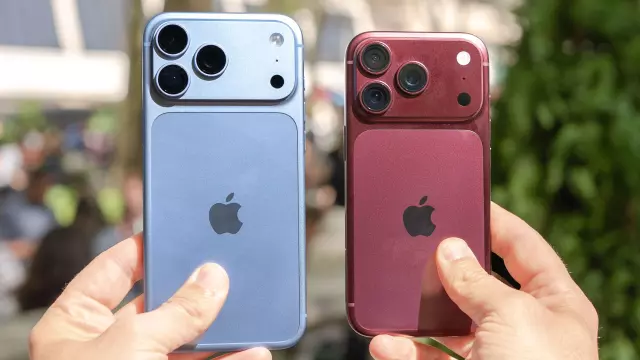
Apple Confirms iPhone 18 Pro Face ID Freezing Bug — What You Need to Know (Update: Fix Available)
- Tags
- Apple
- iOS 27
- iPhone 18 Pro
- Tech News
- Smartphones
- Face ID
Introduction to the iPhone 18 Pro Face ID Freezing Bug
The launch of the iPhone 18 Pro and iPhone 18 Pro Max has largely been met with excitement and strong consumer demand. While most users have been able to secure their devices—barring some minor shipping delays for popular configurations—a frustrating software issue quickly emerged to sour the initial user experience. Early adopters reported that whenever Face ID failed to recognize a user's face, the phone would occasionally crash and unexpectedly restart.
Understanding the Face ID Freezing and Restarting Issue
Face ID is designed to offer seamless, secure biometric authentication. However, when users attempted to unlock their devices at an awkward angle or when the sensor failed to properly read facial features, the glitch triggered a system freeze followed by a sudden reboot. Even though this bug did not impact every single iPhone 18 Pro owner, an intermittent crashing issue on a brand-new, premium flagship smartphone created significant annoyance and concern within the Apple community.
Apple's Swift Response and the iOS 27.0.1 Update
Fortunately, Apple quickly acknowledged the software glitch and assured users that a patch was on the way. True to their word, the tech giant released the iOS 27.0.1 update, providing an immediate resolution to the problem. Because the defect was strictly software-based rather than a hardware failure, users were spared the nightmare of device recalls or mandatory hardware repairs.
To install the fix, users can navigate to Settings > General > Software Update. In addition to resolving the Face ID reboot loop, the iOS 27.0.1 update also addresses a couple of other minor bugs:
- Fixes an issue where iPhone 18 Pro and iPhone 18 Pro Max devices could unexpectedly restart upon failed Face ID authentication.
- Resolves a rare color artifact bug appearing on photos captured at 2x zoom under specific low-light conditions at f/1.48.
- Corrects a touchscreen unresponsiveness glitch triggered when opening the Notification Center and Control Center simultaneously.
What Affected Users Should Do Now
If you are currently experiencing unexpected reboots or Face ID glitches on your new iPhone 18 Pro, your immediate action should be to download and install the iOS 27.0.1 update. Until the update is applied, users are advised to ensure a direct, straight-on alignment with the Face ID sensor to minimize authentication failures and prevent unintended crashes.
Comments (0)
Sign in to join the conversation.Sign in
Loading comments...