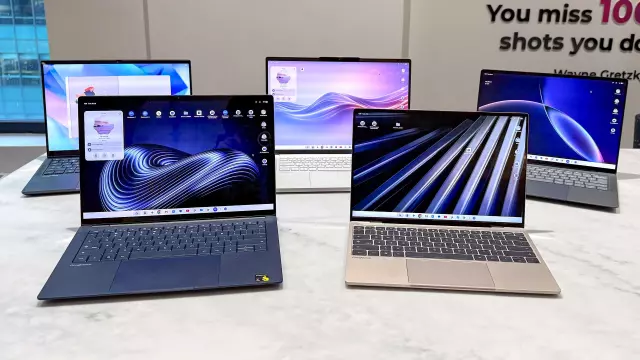
Googlebooks Face Battery Life Scrutiny: New Testing Results Reveal Disappointing Real-World Endurance
- Tags
- Tech News
- Googlebooks
- Laptop Reviews
- Laptop Battery Life
- Chromebook Alternative
The Battery Life Reality Check
When Google introduced its new 'Googlebook' laptop series, the promise of premium, high-performance hardware had tech enthusiasts excited. While these machines have successfully held their own against top-tier Windows laptops and Apple's MacBook lineup in performance benchmarks, our recent testing reveals a concerning trend: battery life that falls significantly short of expectations.
Discrepancies in Testing Methods
Google officially advertises at least 14 hours of battery life. However, their testing methodology—conducted with screen brightness set to 100 nits, Dark theme enabled, and Battery Saver mode active—differs drastically from our real-world laboratory standards. To ensure an objective comparison, we use a more rigorous testing protocol: active, live web browsing through a series of 30 websites, with brightness locked at 150 nits, Bluetooth and location services disabled, and the default 120Hz refresh rate enabled.
How the New Googlebooks Performed
Our lab results paint a varied picture of efficiency across the initial lineup:
- HP Googlebook 14: 11 hours and 52 minutes (The current leader)
- Acer Googlebook 14: 10 hours and 25 minutes
- Lenovo Googlebook 15: 10 hours and 25 minutes
- Dell XPS Googlebook 14: 10 hours and 04 minutes
- Asus Googlebook 14: 6 hours and 18 minutes (Currently under investigation for potential defects)
For comparison, the Dell XPS 13 and the MacBook Air M5 routinely exceed 14 to 15 hours in similar high-demand testing environments, highlighting the efficiency gap currently facing the new Googlebook OS platform.
Optimizing Your Googlebook
While the current results are underwhelming compared to market leaders, there is hope for improvement. Firstly, as Google continues to refine its operating system, we may see battery optimization through future software updates. In the meantime, users can significantly extend their usage time by dropping the display refresh rate from 120Hz to 60Hz. Our preliminary testing on the Dell and HP models indicates this simple change can add nearly two hours of battery life—a critical margin for users working while away from a power outlet.
Ultimately, if all-day endurance is your top priority, you may want to wait for further software optimizations or consider alternatives. However, for those already invested in the ecosystem, managing screen settings remains the most effective way to squeeze every drop of power out of these machines.
Comments (0)
Sign in to join the conversation.Sign in
Loading comments...