Googlebooks Face Battery Life Scrutiny: Our Comprehensive Testing Results
- Tags
- Tech Reviews
- Laptops
- Googlebooks
- Computing
- Battery Life
The Battery Life Challenge for New Googlebooks
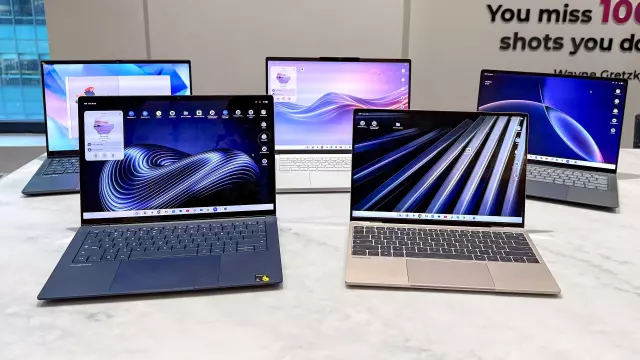
Following our initial benchmarks of the first five Googlebooks to hit the market, we have observed a consistent pattern: while these machines compete admirably with premium Windows laptops and MacBooks in raw performance, they face a significant hurdle regarding battery endurance. Despite manufacturer claims suggesting up to 14 hours of use, our rigorous testing paints a more sobering picture for mobile power users.
Testing Methodology
To ensure consistency, we applied the same intensive testing protocol used for Chromebooks. This involves a continuous cycle through 30 live websites using a specialized Chrome extension, with screen brightness fixed at 150 nits and default settings—including a 120Hz refresh rate—enabled. This approach provides a realistic look at how these devices perform under typical web-heavy workflows, a stark contrast to manufacturer tests which often rely on optimized, lower-power environments.
Performance Breakdown: The Results
The field results varied significantly, highlighting a disparity in efficiency:
- HP Googlebook 14: The front-runner in our testing, achieving an average of 11 hours and 52 minutes.
- Acer & Lenovo Models: Both systems yielded an identical 10 hours and 25 minutes.
- Dell XPS Googlebook 14: Lagged slightly behind, reaching just over 10 hours of battery life.
- Asus Googlebook 14: Reported the most concerning figures, averaging just over 6 hours. We are currently investigating whether this specific unit suffers from a hardware defect.
Comparatively, devices like the Dell XPS 13 and the 13-inch MacBook Air M5 routinely exceed 14–15 hours under similar conditions, placing the current generation of Googlebooks at a disadvantage for all-day portability.
Optimizing Your Battery Life
Our testing revealed a simple yet effective way to extend your usage time: display settings. By manually dropping the refresh rate from the default 120Hz down to 60Hz, we observed a performance gain of nearly two hours on tested models. Additionally, users should be aware that the inclusion of power-hungry OLED panels across most models contributes to these higher drain rates compared to standard LCD displays.
Future Outlook
As Googlebook OS is a nascent platform, we anticipate future software updates may improve power management efficiency over time. Currently, however, if battery longevity is your primary concern, users may find themselves reaching for a charger sooner than they would with competing ecosystem hardware. For those committed to the platform, dialing back the display refresh rate remains the most practical immediate solution for maximizing uptime.
Comments (0)
Sign in to join the conversation.Sign in
Loading comments...