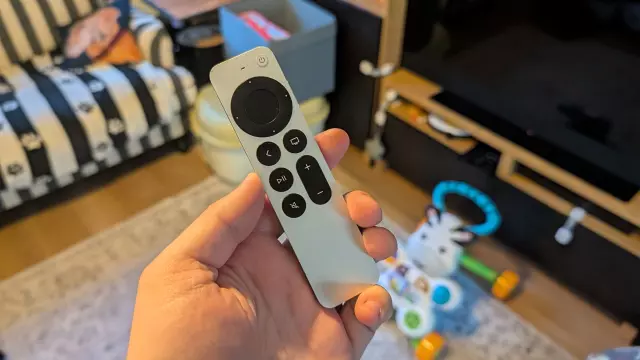
How a Hidden iPhone Feature Saved the Day When My Son Hid the Apple TV Remote
- Tags
- Apple
- iPhone
- Smart Home
- Apple TV
- Tech Tips
The Endless Search for a Missing Apple TV Remote
Every parent knows the frustration of losing household items to a toddler. My 11-month-old son has recently developed an intense fascination with our Apple TV 4K remote. While it started with harmless chewing on its sleek metallic chassis, it has now evolved into an interactive game of hiding and pressing buttons. Unfortunately, this means the remote frequently vanishes into the mysterious dimension that typically claims single socks in the dryer and toys left unattended for mere seconds.
After tearing the living room apart—digging deep into couch cushions, moving heavy furniture, and even discovering an ancient, unopened can of Pepsi—I realized standard manual searching was getting me nowhere. Unlike standard remotes, Apple’s Siri Remote lacks a built-in speaker or native AirTag integration out of the box, making it notoriously tricky to track down. However, a clever built-in iPhone feature ultimately saved the day.
How to Track Down Your Apple TV Remote Using an iPhone
While the Apple TV remote doesn't appear in the standard Find My Device app alongside AirTags or iPads, Apple has integrated a specialized tracking tool directly within the Apple TV Remote app on iOS. Here is how you can use it to locate a missing remote:
1. Open the Apple TV Remote App
The remote interface isn’t a standalone application on your home screen by default. You can quickly access it by pulling down your iPhone's control center, searching for it via the home screen search bar, or adding it as a widget for quick accessibility.
2. Select Your Apple TV Device
At the top of the Remote interface, tap the pill-shaped button to view a list of Apple TV devices linked to your Apple ID. Once you select the correct device, look for the dedicated 'Find' button featuring a small remote icon on the right side of the screen.
3. Follow the Proximity Indicator
Tapping 'Find' opens an interface filled with swirling dots. As you move around the room, your iPhone attempts to connect to the missing remote. When a connection is established, a blue circle appears in the center of the screen, growing larger as you get physically closer to the device.
Limitations and How Apple Can Improve Remote Discoverability
While the tracking feature provides a general directional idea of where the remote is hiding, it is not without flaws. In my case, it pointed me toward the couch, but because the remote had slipped underneath the back framework where gaps were minimal, it remained entirely invisible during flashlight inspections. Ultimately, shifting the heavy piece of furniture revealed the missing controller.
Tech enthusiasts often wonder why Apple doesn't simply embed an AirTag or Ultra Wideband (UWB) tracking chip directly into the Siri Remote. While geographical tracking across a house isn't strictly necessary since remotes rarely leave the home, the primary feature missing is an audible alarm. Without a built-in speaker to emit a sound, finding a sleek, skinny remote hidden deep inside tight crevices still involves a frustrating amount of guesswork and physical labor.
Comments (0)
Sign in to join the conversation.Sign in
Loading comments...