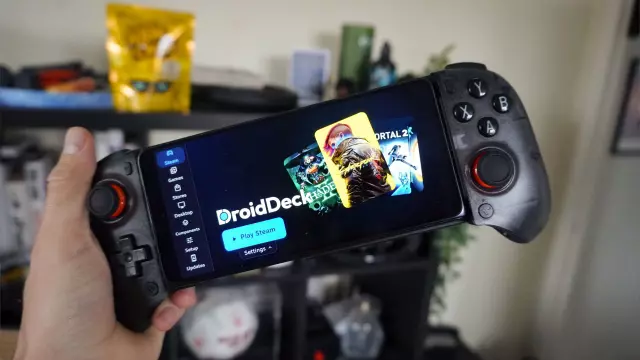
I Turned My Android Phone into a Steam Deck with DroidDeck: Here’s How
- Tags
- Gaming
- Steam
- Android
- Mobile Gaming
- DroidDeck
- Steam Deck
For years, mobile gaming enthusiasts have longed for a truly native, high-performance experience on their smartphones that doesn't rely on cloud streaming or laggy virtual machines. While many manufacturers have touted their flagship devices as AAA gaming beasts, users have often been left with watered-down ports or subscription-based services. This changes today with the emergence of DroidDeck.
What is DroidDeck?
DroidDeck is an innovative, open-source application that allows users to run the native Steam client directly on Android hardware. By leveraging the same underlying technology that powers Steam's ARM-native support for the Steam Frame VR headset, DroidDeck bypasses the need for x86 emulation entirely. This means your phone’s processor handles the game code natively, leading to significantly better performance, lower latency, and better power efficiency.
Why It Matters: Ending the Walled Garden
The primary advantage of DroidDeck is that it eliminates library lock-in. Instead of being forced to re-purchase titles on a mobile-specific storefront, you can access your existing PC library—games you've likely spent years curating on Steam. This effectively turns devices like the Honor Magic V6 into pocket-sized, high-performance handhelds, challenging the dominance of dedicated gaming hardware like the Steam Deck.
How to Install and Optimize DroidDeck
Installing DroidDeck requires a bit of technical proficiency, as it is a powerful tool that pushes the boundaries of standard Android software:
- Download the latest version from the official GitHub project page.
- In your phone's 'Developer Options', ensure you have enabled 'Disable child-process restrictions' to allow the Steam client to run effectively within the Android environment.
- Within the DroidDeck app, run the Setup and Overview wizard to ensure all dependencies are met.
- Launch the application to begin accessing your library.
For the best performance on modern chips like the Snapdragon 8 Gen 3, users are finding success with 'Lossless Scaling' for frame generation and configuring specific 'FEX' presets. As DroidDeck continues to evolve, it is poised to transform mobile gaming from a casual hobby into a serious, high-fidelity experience that rivals dedicated gaming consoles.
Comments (0)
Sign in to join the conversation.Sign in
Loading comments...