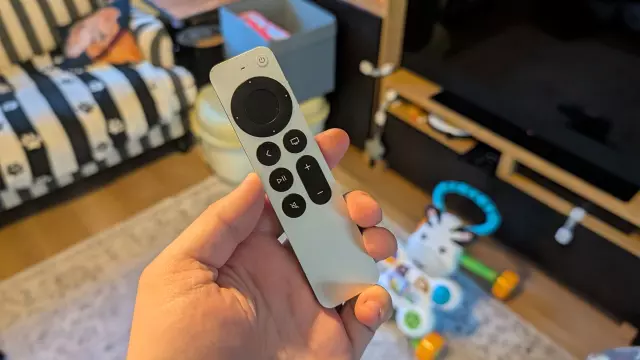
Lost Apple TV Remote? This Hidden iPhone Feature Will Help You Find It
- Tags
- iPhone
- streaming
- Smart Home
- Apple TV
- Tech Tips
For parents, a missing remote is a rite of passage. If you are anything like me, you have probably spent countless minutes tearing your living room apart, checking under cushions, and moving furniture, all while your toddler innocently watches from the corner. While losing a remote is frustrating, losing an Apple TV remote—which is notoriously slim and prone to sliding into the abyss—can feel like a major defeat. Fortunately, if you have an iPhone, there is a built-in feature that can help you track it down without buying a costly replacement or a bulky, third-party AirTag holder.
Why the Standard Find My Feature Isn't Enough
Normally, when an Apple device goes missing, we turn to the 'Find My' app. However, the Siri Remote (specifically the third generation) doesn't have native AirTag-style integration. While it may feel like it has vanished into the fourth dimension, Apple does provide a handy, lesser-known tracking tool within the Apple TV Remote app on your iPhone.
How to Track Down Your Remote
If you have misplaced your remote, follow these steps to use your iPhone as a tracking device:
- Access the Remote: Open the Apple TV Remote app from your iPhone's Control Center (or the app icon if you have added it to your home screen).
- Select Your Device: Tap the long, pill-shaped button at the top of the interface. This will list all Apple TV boxes linked to your Apple account. Select the device associated with the missing remote.
- Tap 'Find': Once your device is selected, look for the 'Find' button, which typically features a small remote icon.
- Use Proximity Tracking: The interface will display a circle of swirling dots. As you move around your living room, watch for a blue circle to appear. This is a form of proximity tracking; the larger the blue circle grows, the closer you are to your missing remote.
Why This Isn't Perfect
While this feature is a lifesaver, it isn't quite as precise as a dedicated AirTag, which utilizes Ultra-Wideband technology to provide directional arrows. In my personal experience, this tracking method gave me a general area rather than an exact point. It took some physical effort, including moving my couch, to finally spot the remote hidden in a narrow gap between the upholstery and the floor.
Future Improvements
Many users have suggested that the Apple TV remote should simply include a built-in speaker. Much like an AirTag, being able to trigger an audible chime would make the hunting process significantly faster. However, until that hardware change happens, this feature inside your iPhone is the best tool we have to avoid paying $59 for a replacement. So, the next time your remote goes missing—whether it was stolen by a toddler or just fell into the couch cushions—don't panic; just grab your iPhone and start searching.
Comments (0)
Sign in to join the conversation.Sign in
Loading comments...