Master Your iPhone: Top 5 New Lock Screen Customization Tools in iOS 27
- Tags
- Apple
- iOS 27
- Apple Intelligence
- iPhone
- Lock Screen
- Customization
For years, iPhone users were constrained by Apple’s rigid design standards for the Lock Screen. With the arrival of iOS 27, that era of limitation has officially ended. Apple has introduced a suite of powerful customization tools that finally give users total control over their device's first point of interaction. Whether you want to prioritize aesthetics, functionality, or readability, these five new features are essential to try.
1. Advanced Liquid Glass Transparency
Previously, users were limited to basic 'Clear' or 'Tinted' presets for the frosted interface. iOS 27 introduces a granular Liquid Glass opacity slider. By navigating to Settings > Appearance > Liquid Glass, you can drag the slider to the left for maximum transparency to showcase your wallpaper or slide to the right to deepen the tint for improved text contrast. The interface updates in real-time, allowing you to perfect the look effortlessly.
2. Take Control of the Clock Display
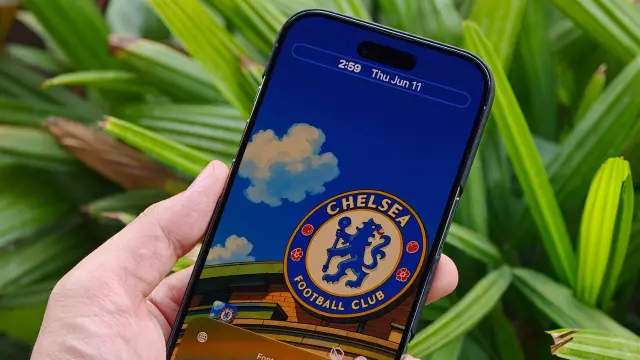
The large, immovable digital clock that has dominated the top of the lock screen for years can now be tamed. By long-pressing your lock screen and selecting 'Customize,' you can now resize the clock font or relocate it entirely to the top widget row. This opens up valuable screen real estate, ensuring your favorite photos of family, pets, or landscapes are no longer obscured by the time and date.
3. Smart Wallpaper Extension
One of the most frustrating aspects of mobile personalization is the 'awkward crop'—when your favorite photo doesn't fit the iPhone’s aspect ratio. The new 'Extend' tool, powered by Apple Intelligence, solves this by generating seamless background details to fill in image edges. When adding a new wallpaper, simply tap the three-dot menu and select 'Extend' to have the system intelligently fill gaps or level out horizons.
4. Media Control Freedom
Are you tired of the 'Now Playing' widget cluttering your lock screen while you listen to music or podcasts? In iOS 27, you can now clear your screen. Simply swipe left across the media playback controls, and the widget will vanish, providing a clean, distraction-free view while your audio continues to play uninterrupted in the background.
5. AI-Generated Backgrounds
If your camera roll doesn't have the perfect shot, you can now generate one from scratch. Using the new 'Image Playground' feature found in the wallpaper settings, you can type a text description of the scene you want to see. Choose from artistic styles like 'Illustration,' 'Animation,' or 'Sketch,' and let Apple Intelligence create a unique, high-resolution backdrop tailored specifically to your taste.
By utilizing these five enhancements, you can transform your iPhone's lock screen into a functional and aesthetic masterpiece that reflects your personal style.
Comments (0)
Sign in to join the conversation.Sign in
Loading comments...