Warning: Sophisticated Fake ChatGPT Ads Are Distributing Malware
- Tags
- Cybersecurity
- ChatGPT
- Online Safety
- Malware
- malvertising
- ClickFix
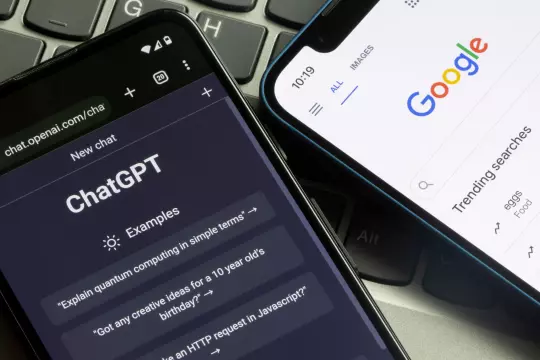
Security experts at AI firm Island have uncovered a dangerous malvertising campaign targeting unsuspecting users searching for ChatGPT on Google. This sophisticated attack leverages sponsored search results to lure victims into a trap, highlighting the growing risks associated with AI-related online searches.
How the Attack Works
The scheme begins with deceptive sponsored Google ads that appear when users search for 'ChatGPT.' While these ads often lead to what looks like a legitimate chat interface, they are part of a 'ClickFix' operation. Once a user attempts to interact with the service, they are prompted to visit a 'backup domain' under the guise of high traffic. This redirect leads to a malicious page featuring a fake Cloudflare verification prompt, which provides instructions that trick the user into executing dangerous commands on their Windows machine.
The 'ClickFix' Danger
The primary danger lies in the instructions provided on these malicious pages. They often guide users to open the Windows Run dialog or PowerShell to 'verify' their connection. By following these steps, users unknowingly grant the attackers control over their systems. Once the malware is established, it can persist through system restarts and utilizes tools like the NetSupport RAT, allowing hackers to maintain remote access, steal sensitive information, and exfiltrate data via Telegram bots.
A Widespread Campaign
Research suggests this is not an isolated incident. Between May and August 2026, analysts tracked approximately 850 paid advertisements, 26 distinct fake ChatGPT domains, and 71 unique Google Ad campaign IDs involved in this activity. The campaign is highly dynamic, with attackers frequently rotating domains and delivery methods.
How to Protect Yourself
Security experts emphasize that legitimate services like OpenAI will never ask you to execute code via the Windows command line or PowerShell. To stay safe:
- Avoid Clicking Sponsored Ads: Use direct links (e.g., chatgpt.com) to access services rather than clicking on sponsored search results.
- Use Ad Blockers: Reputable ad blockers can hide potentially malicious sponsored links.
- Verify Information: If an AI service is truly experiencing downtime, check the official status page (e.g., status.openai.com) rather than trusting unexpected redirect links.
- Maintain Security Software: Ensure your antivirus solution is active, updated, and running on all your devices to help detect and block such threats.
Comments (0)
Sign in to join the conversation.Sign in
Loading comments...