Why Microsoft's New Haptic Surface Mouse Could Change Desktop Productivity Forever
- Tags
- Tech News
- Microsoft
- Productivity
- Surface Mouse
- haptic feedback
- peripherals
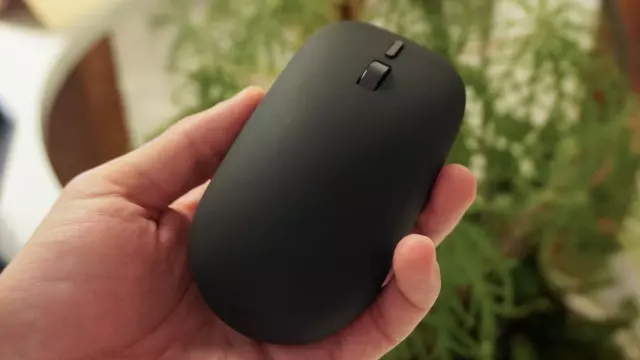
In a crowded market of standard computer mice, Microsoft has introduced a new $79 Surface Mouse that promises to revolutionize how we interact with our desktop environments. While much of the buzz surrounding Microsoft’s recent hardware announcements focused on the power of new Snapdragon-powered laptops, the redesigned Surface Mouse offers a subtler but arguably more impactful innovation: integrated haptic feedback.
Breaking the One-Way Input Barrier
Historically, the computer mouse has been a one-way street. A user moves the device, clicks a button, and the screen reflects that input. We rely entirely on visual confirmation to ensure that our actions, like snapping a window into place or aligning a graphic, have been successful. The new Surface Mouse shifts this paradigm by closing the feedback loop.
How Haptics Enhance Productivity
The integration of a haptic actuator into the mouse shell provides immediate, physical responses to digital actions. The author’s experience highlights three transformative use cases:
- Window Snapping: When dragging a window toward a screen edge in Windows 11, the mouse delivers a distinct tactile bump as the OS snaps the window into place, providing clear physical confirmation of the action.
- Precision Alignment: For those using design software like Adobe Creative Suite or Microsoft Office, the mouse provides a 'micro-tick' when an element locks onto an alignment guide or center axis, significantly improving workflow efficiency.
- Tactile Verification: Instead of guessing if a click registered during moments of system lag, the device provides an instant physical response, offering peace of mind that the command was acknowledged.
Beyond the Gimmick
While haptic feedback in peripherals has been attempted before, those iterations often felt like simple vibration motors with no real purpose. Microsoft has successfully moved beyond the 'gimmick' phase by linking these sensations directly to OS and application behaviors. As the reviewer notes, once you have experienced this level of tactile interaction, standard mice start to feel incomplete. By offloading the need for constant visual verification to your fingertips, the new Surface Mouse isn't just a pointing device; it is a genuine productivity tool that could force a rethink of desktop peripheral design.
Comments (0)
Sign in to join the conversation.Sign in
Loading comments...