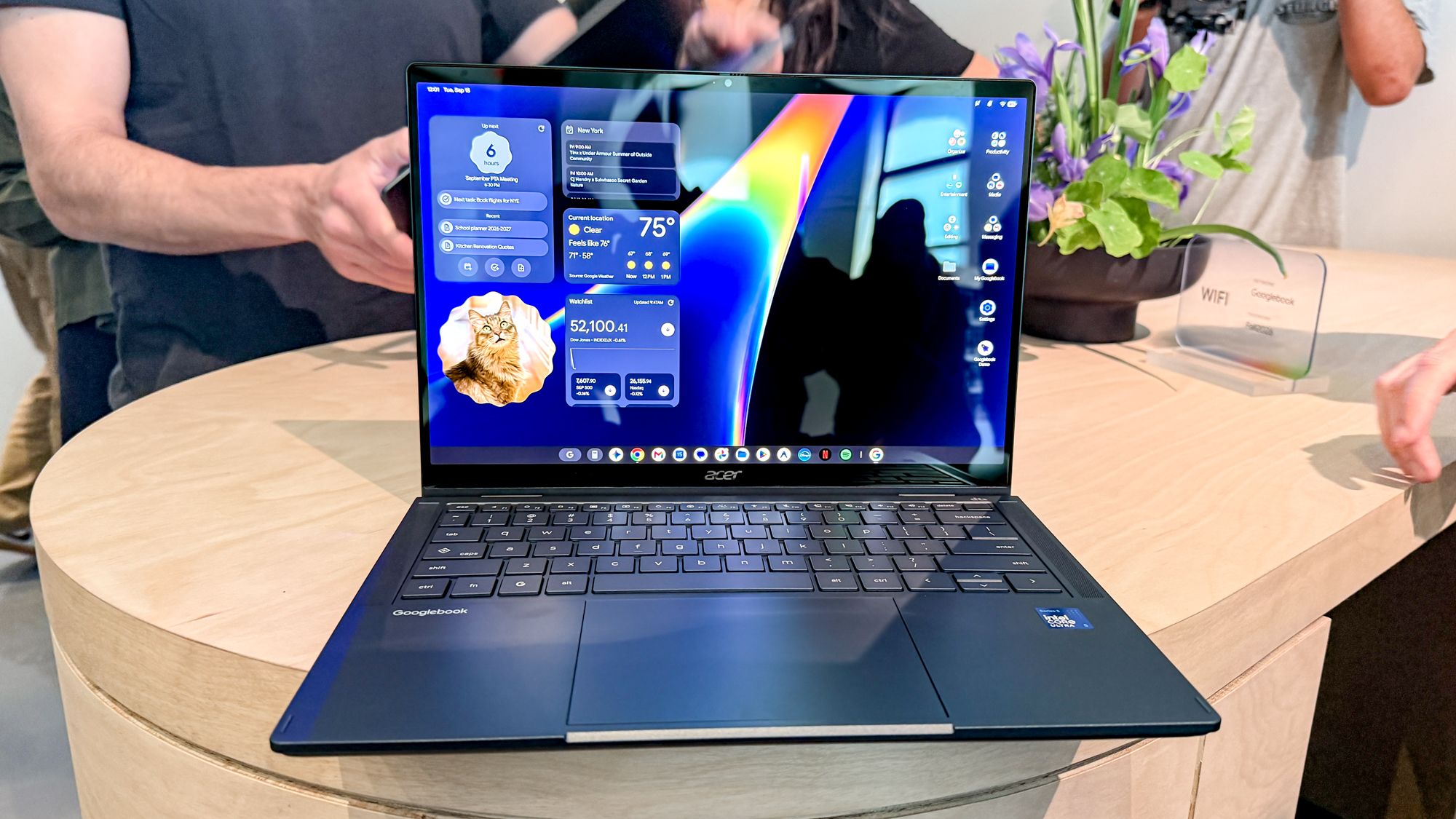
Googlebook Pre-Orders Now Live: 5 Premium AI Laptops Set to Challenge the MacBook Dominance
A New Era of Android Computing
Google has officially opened pre-orders for the 'Googlebook,' a bold new category of premium laptops designed to eliminate the friction between mobile and desktop computing. Aimed squarely at the MacBook ecosystem, the Googlebook seeks to provide Android users with a seamless, integrated bridge that mirrors the interoperability iPhone users enjoy with macOS. After a highly anticipated reveal at the Android Show, five distinct models from industry leaders Acer, Asus, Dell, HP, and Lenovo are now available for reservation.
Pricing, Availability, and Premium Bundles
The Googlebook lineup is positioned as a premium offering, with prices ranging from $899 to $1,299. To incentivize early adoption, Google is bundling every pre-order with a comprehensive software package, including a full year of Google AI Pro (granting 5TB of cloud storage and access to Gemini Advanced tools). Additionally, buyers will receive three months of YouTube Premium, Adobe Photoshop, and CapCut.
Devices are scheduled to hit shelves on October 4 in the United States, followed by a rollout on October 5 across Canada, the UK, Ireland, France, Germany, and Australia. In a significant move for long-term sustainability, Google has committed to providing feature drops and software updates for up to 10 years.
Hardware Highlights: Five Flavors of Power
While all Googlebooks feature premium chassis made from aluminum, magnesium alloy, or carbon fiber—alongside backlit keyboards and responsive touchscreens—each manufacturer has brought a unique twist to the table:
- Asus Googlebook 14: The portability champion, weighing only 2.2 pounds with an anti-glare screen and an impressive 16-hour battery life.
- Acer Googlebook: Offers a versatile convertible design for those who need a 2-in-1 experience.
- Lenovo Googlebook 15: A larger 15-inch display option featuring a distinctive soft-touch finish in Pantone’s 'Cloud Dancer' color.
- Dell XPS Googlebook: Merging the iconic XPS design with the new Googlebook ecosystem.
- HP Googlebook 14: A high-performance alternative utilizing Snapdragon X Elite processing power.
The 'Magic' of Android-Desktop Interoperability
The core appeal of the Googlebook lies in its ability to sync perfectly with an Android smartphone. The 'Continue On' feature allows users to start a project or email on their phone and instantly pick it up from the desktop taskbar. The revamped Files app further streamlines this by making mobile photos and downloads appear instantly in the laptop's file menu.
Setup is nearly instantaneous; signing in automatically migrates encrypted Wi-Fi passwords, messages, and settings. For those who rely on mobile-only apps, the 'Cast My Apps' feature streams Android applications directly into a desktop window, ensuring that workflows remain uninterrupted.
AI-Driven Productivity and Power User Tools
Google is leveraging Gemini AI to introduce several innovative desktop features:
- Magic Pointer: By wiggling the cursor over content, users can summon Gemini to summarize text, translate languages, or organize calendars on the fly.
- Rambler: An advanced speech-to-text tool that cleans up filler words and automatically formats spoken thoughts into professional checklists and headers.
- Create My Widget: Users can generate custom interactive desktop widgets for weather or stocks simply by describing them in plain language.
- The Glowbar: A signature light bar on the exterior lid that communicates battery levels and Gemini AI interactions through playful animations.
For the technical crowd, Google has included a Level 5 security-certified pKVM hypervisor, creating an isolated Linux environment for developers to run tools like Claude Code or utilize the Antigravity agent development platform.
Gaming and App Ecosystem
To solve the historical issue of Android apps looking awkward on large screens, Google has optimized millions of Play Store apps specifically for mouse and keyboard input. Professional creatives are supported via native versions of Adobe Lightroom and Photoshop, while gamers can enjoy native mobile titles and a bundled one-year subscription to GeForce Now for streaming AAA PC games.
Comments (0)
Sign in to join the conversation.Sign in
Loading comments...